Included in every plan
Scheduled website screenshots that tell you what changed
Pick a page and how often. SnapRender captures it every hour, day or week, compares each capture with the one before, and emails you when the page changes, with a link to both versions side by side. Set it up in the dashboard, or with one API call.
1 schedule on the free planNo cardEmail or webhook alerts
Stop checking pages by hand
Pricing pages, terms, client sites, your own release: the pages that matter change without notice. A schedule watches them for you and keeps the receipts.
-
Hear about it the same day
An email or a webhook as soon as a capture differs from the last one by more than your threshold. Quiet pages stay quiet.
-
See exactly what changed
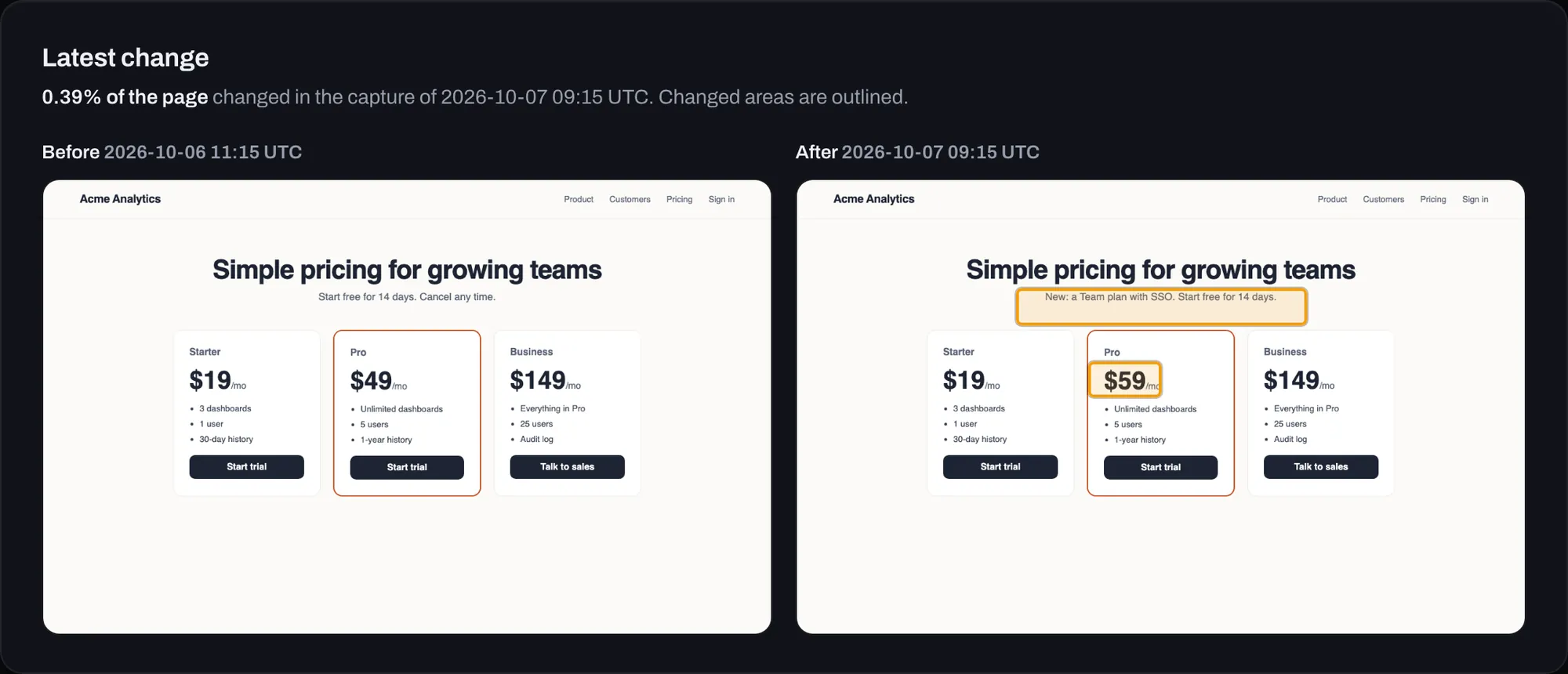
Before and after side by side, with the changed areas outlined and the share of the page that changed. No squinting at two tabs.
-
Keep proof of every version
Every capture is dated and stored with its SHA-256 hash, for 7 to 180 days by plan. Download any of them when someone asks what the page said.
Set up in a minute
SnapRender runs the schedule, the browser and the comparison, so there is nothing to host or maintain.
- Add the page
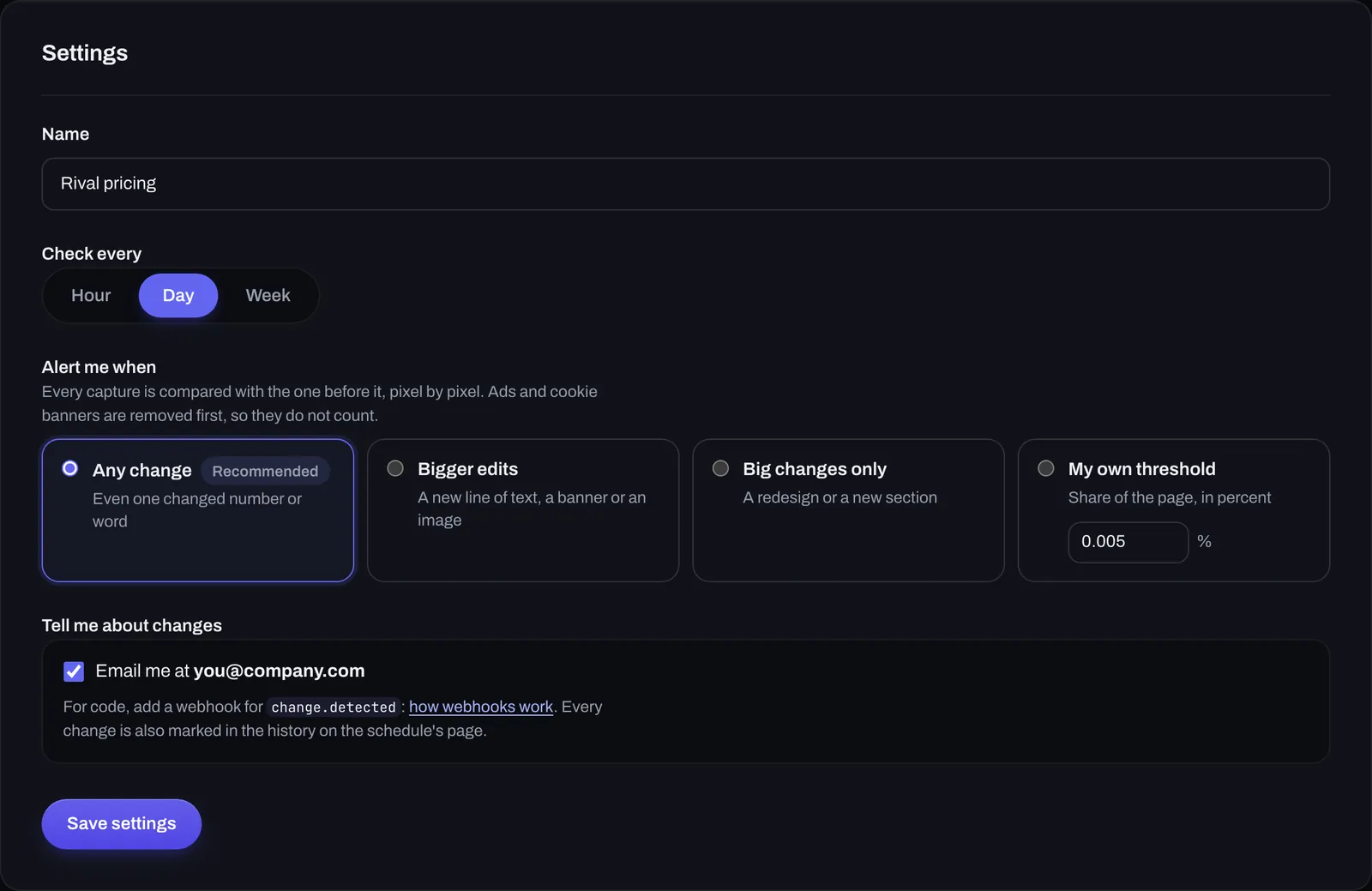
Paste the URL, choose every hour, day or week, and how big a change should alert you.
- SnapRender captures it on time
A fresh render in real Chrome each time, with cookie banners and ads removed, on desktop or any device preset.
- You hear about real changes
Each capture is compared with the one before. Above your threshold you get an email, a
change.detectedwebhook, or both.
In the dashboard, or in your code
The same schedules either way. Start in the dashboard, then automate when you need to.
No code: the dashboard
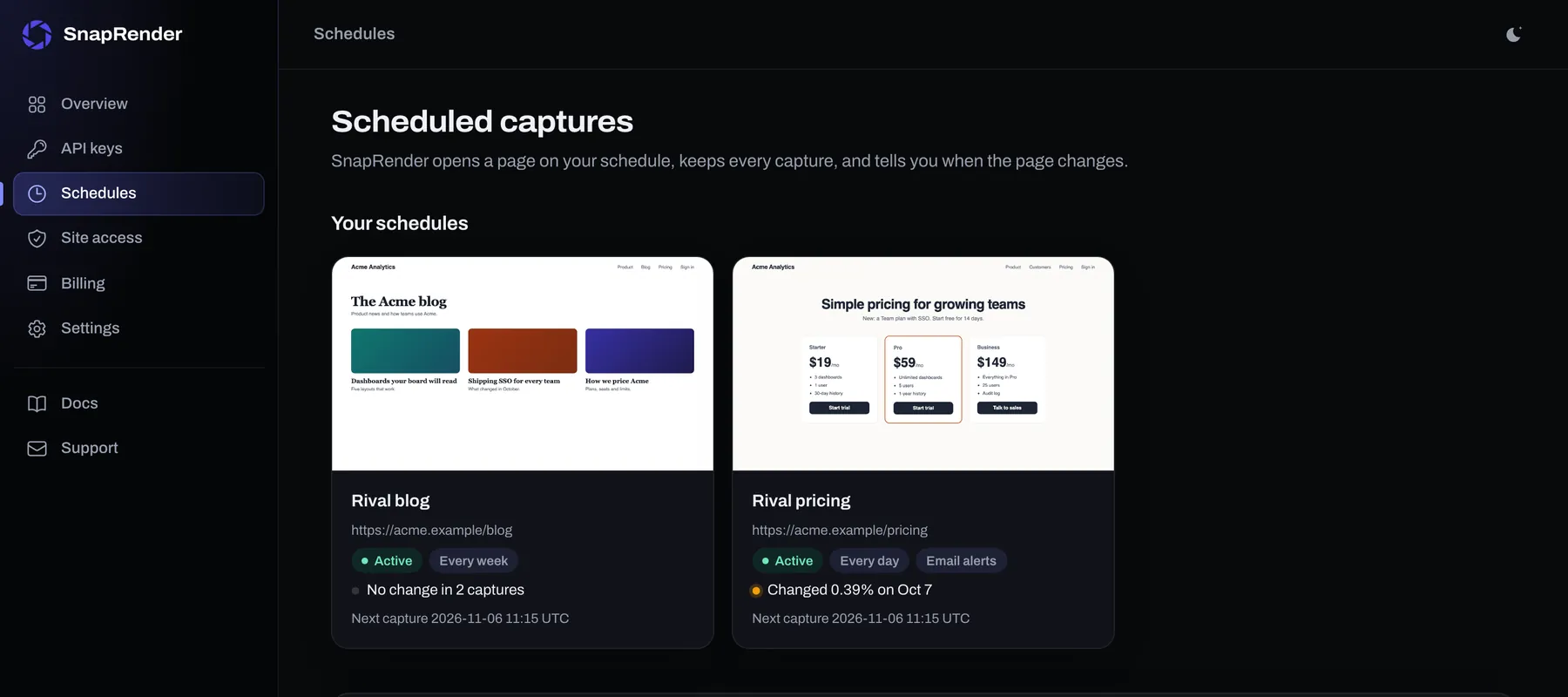
Add pages, see every capture, compare versions and change the alert settings. Your schedules, their latest captures and their last change at a glance.
Already have an account? Open your schedules.
Code: one API call
Create the schedule with POST /v1/schedules, then receive a signed webhook when the page changes.
curl -X POST "https://app.snap-render.com/v1/schedules" \
  -H "X-API-Key: sk_live_your_key_here" \
  -H "Content-Type: application/json" \
  -d '{"url": "https://competitor.com/pricing",
       "interval": "daily",
       "change_threshold": 0.5,
"notify_email": true}'{
"scheduleId": "3f0b8f3e-...",
"url": "https://competitor.com/pricing",
"diffPercent": 4.375,
"changed": true,
"sha256": "9b1c...",
"downloadUrl": "https://..."
}Full reference: schedules in the docs, webhooks.
What teams watch
Step-by-step guides for the most common schedules, with the settings that work.
-
 Daily
DailyCompetitor pricing and features
Know the day a rival changes a price, a plan or a headline.
Read the guide -
 Weekly
Every client site, every week
A dated record of each client's site for reports, and a heads-up when something breaks.
Read the guide -
 Evidence
Terms, disclosures and claims
Dated, hashed captures of what a page said, kept for months.
Read the guide -
 Hourly
Your own pages after a deploy
Catch a broken layout, a missing banner or a wrong price before customers do.
Read the guide
Watch your first page in two minutes
Paste a URL, pick how often, and SnapRender does the rest: captures, comparisons and alerts.
Free plan: one daily or weekly schedule, no card.
Schedules on every plan
Each capture counts as one render. A daily schedule uses about 30 renders a month, an hourly one about 720.
| Plan | Price | Renders a month | Schedules | Every | History |
|---|---|---|---|---|---|
| Free | $0 | 200 | 1 | Day or week | 7 days |
| Starter | $9 | 2,000 | 5 | Hour, day or week | 14 days |
| Growth | $29 | 10,000 | 25 | Hour, day or week | 30 days |
| Business | $79 | 50,000 | 100 | Hour, day or week | 90 days |
| Scale | $199 | 200,000 | 300 | Hour, day or week | 180 days |
Every plan has every feature: device presets, full-page captures, webhooks, the API and the MCP server for AI agents. All plans and yearly prices.
Try a capture first
See what a scheduled capture looks like on your page. No sign-up, rendered in real Chrome in a few seconds.
Already run your own scheduler? Call the screenshot API from it instead: the change monitoring guide has cron, GitHub Actions, Node.js and Python recipes.
Try it on your URL
Live capture, no signup. You get the screenshot and the exact API call that produced it.
This is the exact API call that made the image above. Swap in your key and it runs anywhere.
200 renders a month free.
You hit the free demo limit here. The full tool can verify you are human and keep going.
Continue in the full toolQuestions
Does SnapRender run the schedule, or do I need my own cron job?
SnapRender runs it. Add a page in the dashboard or with POST /v1/schedules and it is captured every hour, day or week, compared with the capture before it, and kept in a dated history. You do not need a server, a cron job or an image diff library. If you already have a scheduler, you can still call the screenshot API from it.
How does SnapRender decide that a page changed?
Each capture is compared with the previous one, pixel by pixel in small blocks, so anti-aliasing noise does not count. The result is the share of the page that looks different: one changed price is a few hundredths of a percent, a new section several percent. You choose what alerts you: any change (even one changed number), bigger edits such as a new line or banner, big changes only, or your own threshold.
How do I find out about a change?
Three ways, and you can use all of them. An email to your account address (turn it on per schedule), a signed change.detected webhook for your own code, and the schedule page in the dashboard, which shows the capture before and after the change side by side with the changed areas outlined.
How often can a page be captured?
Every hour, day or week. The free plan includes 1 daily or weekly schedule; paid plans add hourly captures, more schedules (5 on Starter up to 300 on Scale) and longer history (14 to 180 days).
What does it cost?
Schedules are included in every plan. Each capture counts as one render of your monthly quota: a daily schedule uses about 30 renders a month, an hourly one about 720. Failed captures are refunded, and when the quota runs out captures are skipped, never billed as overage.
Can I use the captures as evidence?
Every capture is stored as a PNG with its capture time and SHA-256 hash, so you can show what a page displayed on a given date and that the file has not changed since. Download them from the dashboard or list them with GET /v1/schedules/{id}/captures.